创建Github_Page网页资料库
创建一个新的Github Page完整流程
使用MkDocs + Material Theme静态文档方案
(1)正常流程
1.初始化项目结构
mkdocs new .
实现结果:
2.编辑mkdocs.yaml文件(美化外观)
https://github.com/qingyaozhuozhang/jingshen/tree/main/Github_Page
(需要下载requirements.txt里面的依赖)
3.本地预览
mkdocs serve
然后浏览器打开http://127.0.0.1:8000
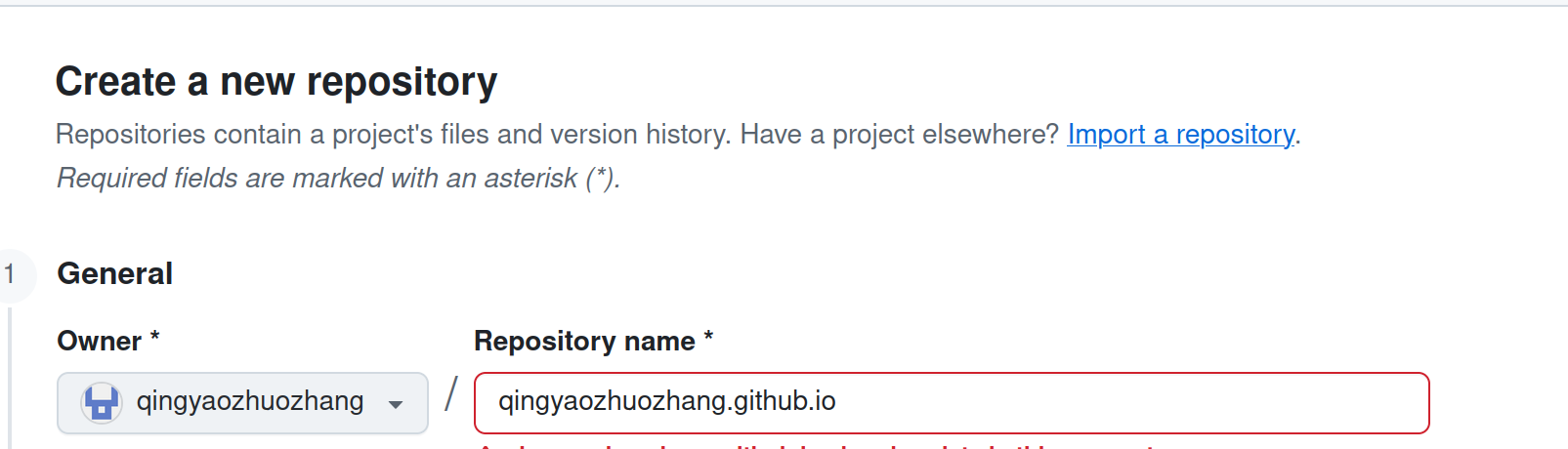
4.在Github上新建一个链接仓库(.github.io)
在Github上新建一个名称跟Github名字一样+.github.io的仓库
5.上传仓库后部署配置
在根目录中创建目录和文件:.github/workflows/deploy.yml
你的项目文件夹/
├── mkdocs.yml
├── requirements.txt      <-- 刚才建的
└── .github/
    └── workflows/
        └── deploy.yml    <-- 现在要建的
https://github.com/qingyaozhuozhang/jingshen/tree/main/Github_Page
6.切换Pages分支
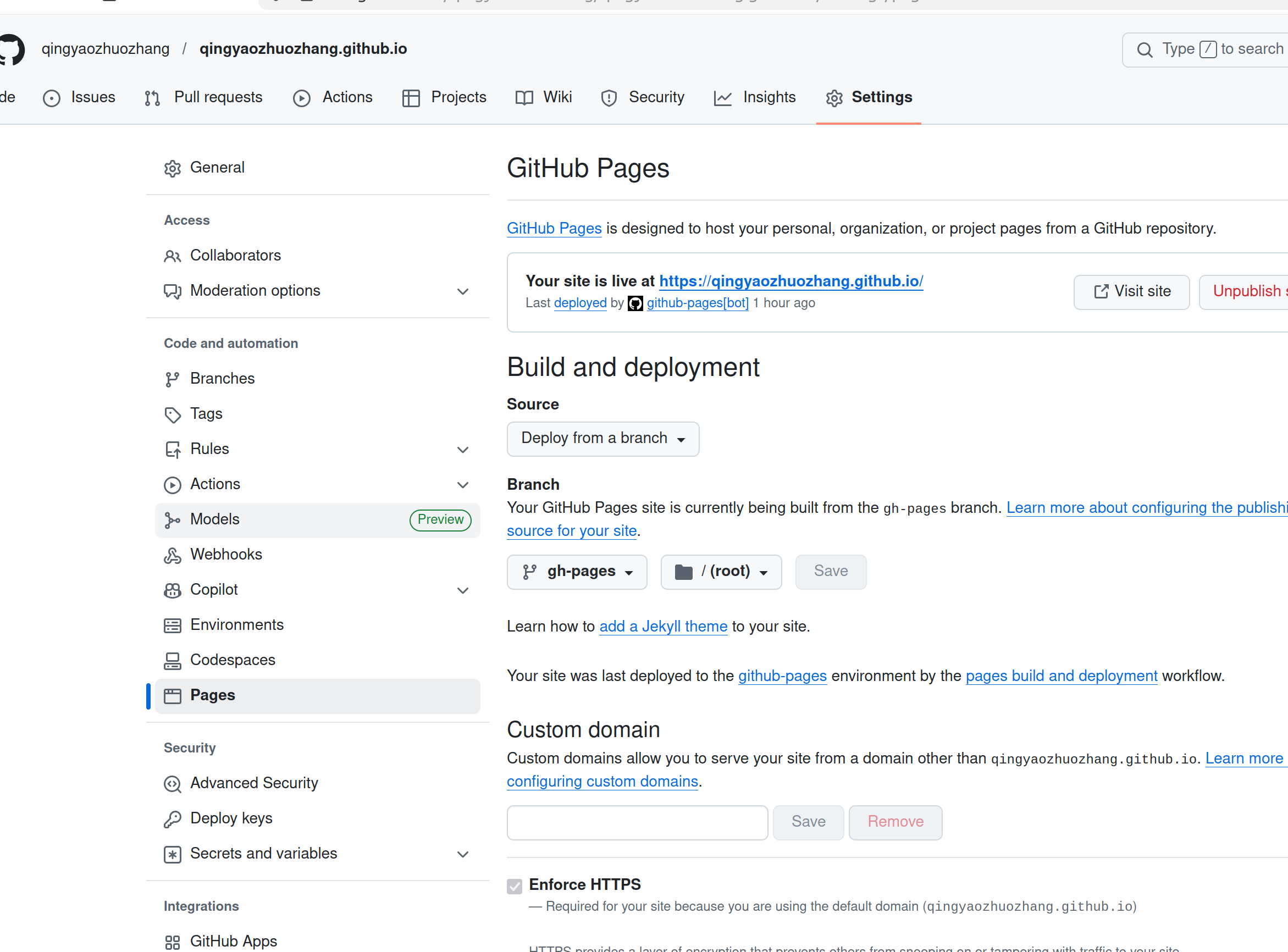
- Source:保持选
Deploy from a branch - Branch:选择
gh-pages分支 - 文件夹保持
/(root)
7.验证
直接访问https://qingyaozhuozhang.github.io/
可能遇到的问题分析处理
- 编辑mkdocs.yaml
- 部署地址需要对应
site_url: https://qingyaozhuozhang.github.io/-
编辑内容在
nav模块中- (冒号后面不能放空白)
编程常用例程: (不行) 编程常用例程: (行) 待更新:常用例程/编程常用例程/index.md- 路径从
docs/之后开始docs/不需要 - 上传遇到语法错误而无法显示
- 到
Actions选项中查看具体报错
8.创建自动化工作流
-
新建一个隐藏文件夹
.github -
在
.github里面新建一个文件夹workflows-
在
workflows里面新建一个文件,命名为deploy.yml -
``` name: deploy-mkdocs on: push: branches: - main # 当推送到 main 分支时触发
# 赋予 GitHub Actions 推送代码到 gh-pages 分支的权限 permissions: contents: write
jobs: deploy: runs-on: ubuntu-latest steps: - uses: actions/checkout@v4 with: # fetch-depth: 0 非常重要! # 因为你使用了 git-revision-date-localized 插件,必须拉取完整历史记录才能获取时间,否则打包会报错 fetch-depth: 0
    - name: 配置 Git 用户信息
      run: |
        git config user.name github-actions[bot]
        git config user.email 41898282+github-actions[bot]@users.noreply.github.com

    - name: 设置 Python 环境
      uses: actions/setup-python@v5
      with:
        python-version: 3.x

    - name: 设置缓存加快后续构建速度
      uses: actions/cache@v4
      with:
        key: ${{ runner.os }}-mkdocs-material-${{ hashFiles('requirements.txt') }}
        path: .cache
        restore-keys: |
          ${{ runner.os }}-mkdocs-material-

    - name: 安装依赖包
      run: |
        # 如果你有 requirements.txt,优先使用它
        if [ -f requirements.txt ]; then pip install -r requirements.txt; fi
        # 确保关键依赖被安装 (MkDocs, Material 主题,以及你使用的两个插件)
        pip install mkdocs-material mkdocs-git-revision-date-localized-plugin mkdocs-minify-plugin

    - name: 执行 MkDocs 编译并部署到 gh-pages 分支
      run: mkdocs gh-deploy --force
```
-